
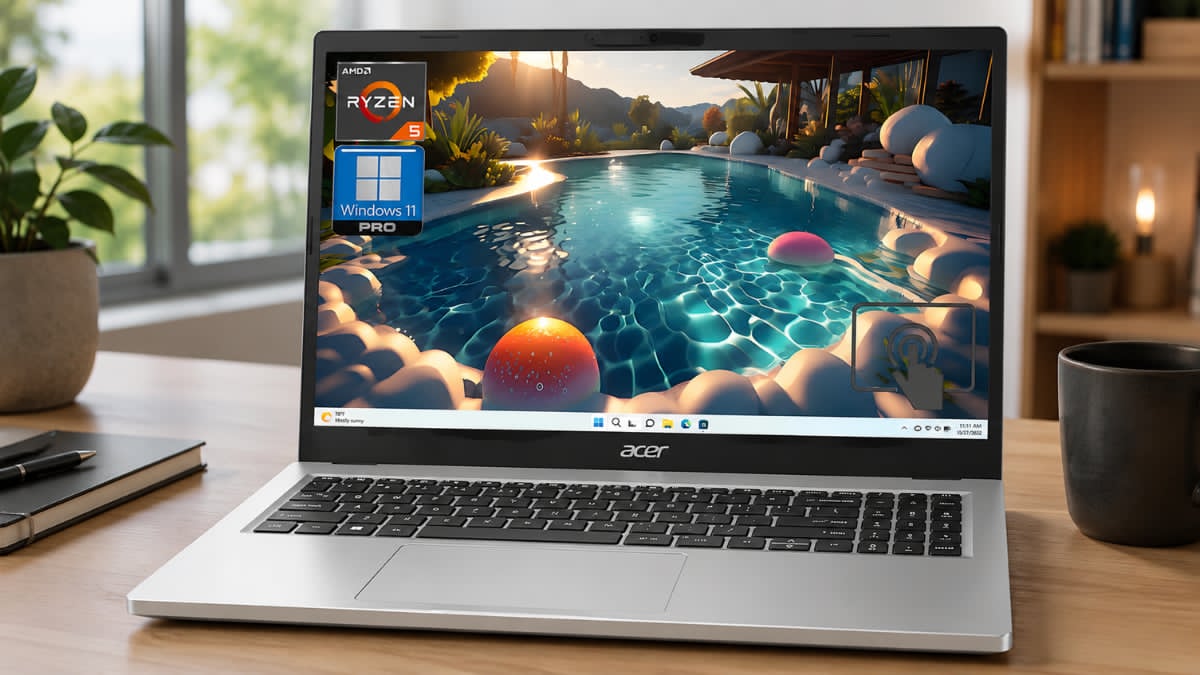
How the acer Aspire 3 15.6″ Ryzen 5 Laptop Handles Daily Tasks with Ease
Some laptops cost a small fortune. Others cut so many corners that using them becomes frustrating after a few weeks. The acer Aspire 3 15.6″ Ryzen 5 Laptop sits comfortably between those extremes, offering dependable performance, modern features, and a price that remains accessible for many buyers.
If your daily routine includes web browsing, video streaming, online classes, office work, and occasional multitasking, this laptop checks many important boxes.
Acer has equipped the Aspire 3 with an efficient AMD Ryzen processor, fast SSD storage, a spacious Full HD display, and modern wireless connectivity. These features help create a smooth experience for everyday computing without stretching your budget.
After reviewing the specifications, user feedback, and practical use cases, it becomes clear why the Aspire 3 continues to be one of Acer’s most popular mainstream laptops.
acer Aspire 3 15.6″ Ryzen 5 Laptop Features and Specifications
The Aspire 3 lineup includes several configurations, though many Ryzen 5 models share similar core features.
| Specification | Details |
| Processor | AMD Ryzen 5 7520U |
| Display | 15.6-inch Full HD display (1920 x 1080) |
| Graphics | AMD Radeon Graphics |
| Memory | 8GB LPDDR5 RAM |
| Storage | 512GB SSD storage |
| Operating System | Windows 11 Home |
| Wireless | Wi-Fi 6 connectivity |
| Webcam | HD Camera |
| Battery Life | Up to 11 hours |
| Weight | Approximately 3.9 lbs |
This combination provides enough power for productivity tasks, online learning, entertainment, and light content creation.
Design and Build Quality
The Aspire 3 follows a straightforward design approach. Its slim profile and lightweight construction make it easy to carry between home, school, and work.
The laptop feels comfortable during extended use. The keyboard offers decent key travel, making typing documents, emails, and reports easier throughout the day. The large touchpad also responds well to gestures and navigation.
While the chassis uses plastic materials, the overall build feels sturdy for a budget laptop in this category.
Highlights
- Lightweight and portable
- Clean, professional appearance
- Comfortable keyboard
- Large display for work and entertainment
Considerations
- Plastic construction instead of metal
- Average display brightness outdoors
- Not designed for intensive gaming workloads
Performance: How the AMD Ryzen 5 Processor Performs
For most users, performance is the most important factor when choosing a laptop.
The AMD Ryzen 5 processor inside the Aspire 3 handles common daily tasks smoothly. During practical use, the laptop performs well when:
- Running Microsoft Office applications
- Attending Zoom or Teams meetings
- Streaming Netflix and YouTube
- Managing multiple browser tabs
- Editing documents and spreadsheets
- Completing online coursework
A useful real-world test involves opening 15 to 20 browser tabs while streaming music and working in Google Docs. The system remains responsive without significant slowdowns.
Users upgrading from older Intel Core i3 or entry-level processors will likely notice faster startup times and smoother multitasking.
Display Quality and Viewing Experience
One of the strongest features of this laptop is its 15.6-inch Full HD display.
The 1920 x 1080 resolution provides:
- Sharp text for reading
- Better workspace for spreadsheets
- Clear video playback
- Comfortable multitasking
The screen size offers a practical balance between portability and productivity. Students can view research materials alongside documents, while professionals can work with multiple windows more comfortably.
Color accuracy is suitable for everyday use, though creative professionals working with advanced photo or video editing may prefer higher-end displays.
SSD Storage Makes a Noticeable Difference
Many buyers underestimate the importance of storage speed.
The Aspire 3 includes SSD storage, which dramatically improves system responsiveness compared to traditional hard drives.
Benefits include:
- Faster startup times
- Quicker application launches
- Reduced loading screens
- Improved file transfers
- Smoother overall performance
In daily use, Windows boots within seconds, and applications open quickly without excessive waiting.
Battery Life and Mobility
Battery performance varies based on workload, brightness settings, and wireless usage.
For everyday productivity tasks, many users can comfortably get through a school day or work session without constantly searching for a power outlet.
The efficient Ryzen architecture helps balance performance and power consumption, making the Aspire 3 a practical companion for mobile users.
Connectivity and Ports
Modern connectivity helps keep the laptop useful for years.
The Aspire 3 typically includes:
- USB-C port
- USB-A ports
- HDMI output
- Audio jack
- Bluetooth support
- Wi-Fi 6 connectivity
Wi-Fi 6 can provide faster wireless speeds and better network performance when paired with a compatible router.
For remote workers and students attending virtual classes, stable wireless performance remains an important advantage.
Who Should Buy the Acer Aspire 3?
Students
The Aspire 3 offers enough power for assignments, research, video calls, and productivity software.
Remote Workers
If your work involves email, spreadsheets, presentations, and browser-based applications, this laptop handles those tasks comfortably.
Home Users
Streaming, shopping, social media, budgeting, and everyday browsing are all areas where the Aspire 3 performs well.
Casual Multitaskers
Users who frequently switch between multiple applications will appreciate the Ryzen processor and SSD combination.
Current Amazon Pricing
Pricing varies depending on memory, storage, and promotions.
Recent Amazon listings place many Ryzen 5 Aspire 3 models between $399 and $499, with occasional discounts during major sales events. Configurations with larger SSDs, additional memory, or touchscreen functionality typically cost more.
Checking current Amazon listings before purchasing can help you find the best available deal.
Pros and Cons
| Pros | Cons |
| Strong everyday performance | Not ideal for high-end gaming |
| Fast SSD storage | Basic speaker quality |
| Full HD display | Plastic construction |
| Good value for the price | Limited upgrade options on some models |
| Lightweight design | Display brightness could be higher |
Frequently Asked Questions
Is the Acer Aspire 3 good for college students?
Yes. Its combination of portability, battery life, and productivity performance makes it suitable for most academic tasks.
Can the Acer Aspire 3 handle multitasking?
Yes. The Ryzen 5 processor and SSD storage help maintain smooth performance during everyday multitasking.
Is this a good Windows 11 laptop?
Absolutely. The Aspire 3 runs Windows 11 efficiently and supports the features most users expect from a modern laptop.
Can it run games?
It can handle casual and less demanding games. More graphically intensive titles may require lower settings.
Final Thoughts
The acer Aspire 3 15.6″ Ryzen 5 Laptop offers an appealing balance of affordability, performance, and practicality. It handles everyday workloads confidently, starts quickly thanks to SSD storage, and provides a comfortable Full HD viewing experience for work and entertainment.
While it does have a few limitations, such as basic graphics performance and a plastic chassis, those trade-offs are understandable considering its price range. For students, remote workers, and home users looking for a dependable Windows 11 laptop, the Aspire 3 remains a strong contender.
If this model fits your needs, take a moment to check the latest Amazon pricing and available configurations. You may also find value in comparing other Acer Aspire models and Ryzen-powered laptops to identify the best option for your budget and workload.