
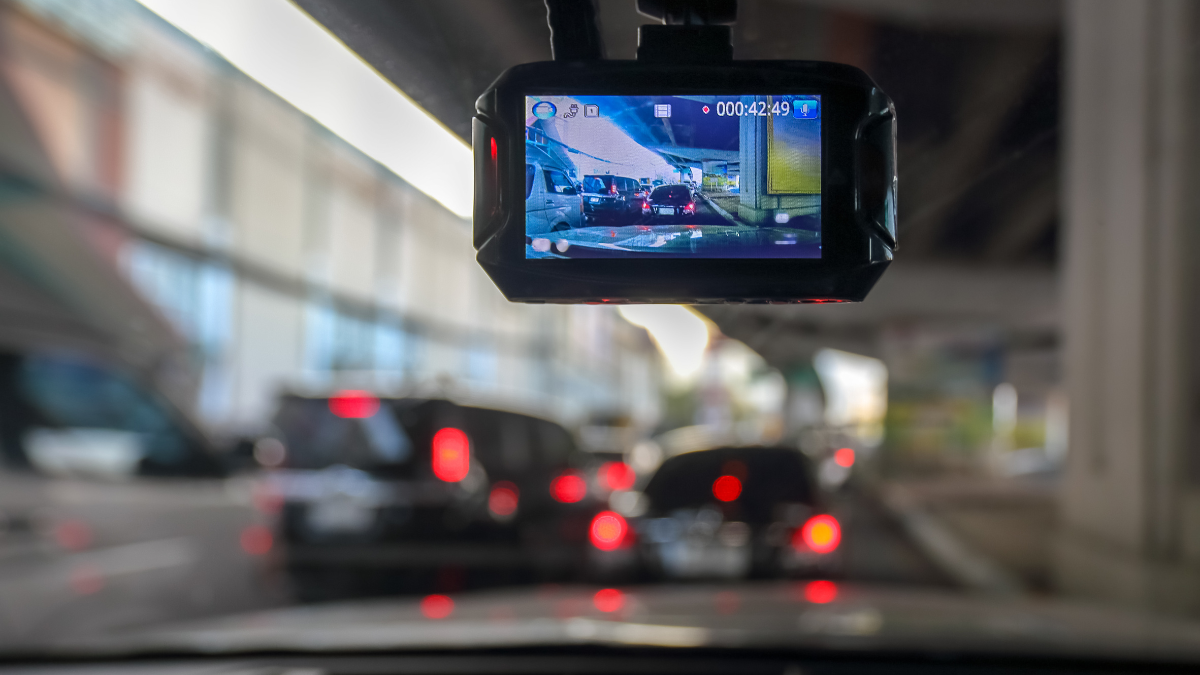
How Dash Cams Can Improve Road Awareness and Driving Documentation Daily
Dash cams can give you a clearer record of what happens on the road, helping capture important footage during everyday drives, unexpected incidents, or parking situations.
As these compact cameras become more common, drivers are paying closer attention to features such as video resolution, night recording, parking monitoring, storage capacity, and smartphone connectivity.
Choosing the right camera is not simply about finding the model with the longest feature list.
You need to consider how you drive, where you park, how much footage you want to store, and which recording features could be genuinely useful.
This guide explains how dash cams work, the features worth comparing, and what you should consider before installing one in your vehicle.
What Are Dash Cams and How Do They Work?
Dash cams are compact video cameras designed primarily for use inside vehicles. They are commonly mounted on the windshield or dashboard and positioned to record the road ahead.
Most models begin recording automatically when your vehicle starts. Video is generally saved to a memory card, with older recordings overwritten when the card becomes full through a process known as loop recording.
Depending on the model, a dash camera may also record:
- The front of your vehicle
- The rear of your vehicle
- The interior cabin
- Audio inside the vehicle
- Your vehicle’s location and speed through GPS
- Activity around a parked vehicle
This continuous recording system allows you to capture events without manually activating the camera each time you drive.
Why Drivers Use Dash Cameras
One of the biggest reasons drivers install dash cameras is to maintain a visual record of road events.
If an accident occurs, recorded footage may help document traffic conditions, vehicle positions, road signs, or the sequence of events leading up to the incident.
Dash cameras may also be useful for documenting unusual situations such as road hazards, attempted vandalism, dangerous driving, or damage that occurs while your vehicle is parked.
Other potential benefits include:
- Recording scenic road trips
- Monitoring vehicles used by family members
- Documenting driving conditions
- Recording parking incidents
- Reviewing unexpected events on the road
Footage does not automatically determine responsibility in every situation, but having a video record may provide useful context.
What Video Resolution Should You Look For?
Video quality is one of the most important features to compare when choosing dash cams.
Common recording resolutions include 1080p, 2K, and 4K.
1080p
Full HD recording can provide adequate image quality for many everyday situations. It may also require less storage space than higher-resolution formats.
2K
A 2K dash camera records more detail than standard 1080p footage while generally maintaining manageable file sizes.
4K
A 4K dash cam offers higher image resolution, which may make details such as road markings, vehicle shapes, and nearby objects easier to identify under suitable conditions.
However, resolution alone does not determine video quality. Lens quality, image sensors, exposure settings, lighting conditions, frame rates, and video processing can also affect how clear footage appears.
Why Night Vision Matters
Many important driving events happen after sunset, so low-light recording performance deserves careful consideration.
A good dash camera should handle changing lighting conditions such as:
- Dark residential streets
- Bright headlights
- Parking garages
- Streetlights
- Tunnels
- Rainy nighttime roads
Some cameras use wide-aperture lenses, advanced image sensors, high dynamic range technology, or software processing to improve nighttime footage.
When comparing cameras, look beyond claims such as “night vision.” Actual low-light image quality can vary considerably between models.
Should You Choose Front-Only or Front-and-Rear Dash Cams?
You can generally choose between single-channel and multi-channel camera systems.
Front-only dash cams
These cameras record only the road ahead. They are typically simpler to install and may be sufficient if you mainly want basic documentation of your driving.
Front-and-rear dash cams
Dual-camera systems record both the front and rear of your vehicle.
Rear footage may provide additional context during:
- Rear-end collisions
- Parking incidents
- Traffic disputes
- Hit-and-run situations
Some systems also include a third camera that records the vehicle cabin, which may appeal to rideshare drivers or people who regularly transport passengers.
What Is Parking Mode?
Parking mode allows certain dash cams to monitor your vehicle after the engine has been turned off.
Depending on the camera, parking recording may activate when it detects:
- Movement near the vehicle
- Physical impact
- Sudden vibration
Some models use low-frame-rate or time-lapse recording to monitor longer periods while consuming less storage.
Parking mode can be helpful if you regularly leave your vehicle in public parking areas, apartment parking lots, or busy streets.
However, continuous parking monitoring requires power. You may need a hardwire kit, external battery pack, or another compatible power solution.
Understanding G-Sensors and Event Recording
Many modern dash cams contain a G-sensor that detects sudden changes in movement.
For example, the sensor may respond to:
- Hard braking
- Sudden acceleration
- Sharp impacts
- Collisions
When unusual movement is detected, the camera may automatically lock the current video file so loop recording does not immediately overwrite it.
Sensitivity settings may need adjustment because potholes, speed bumps, or rough roads can sometimes trigger unnecessary event recordings.
How Loop Recording Works
Loop recording is an essential feature because dash cameras continuously generate large video files.
Instead of stopping when storage becomes full, the camera automatically records over the oldest unlocked footage.
Recording is normally divided into short clips, often lasting a few minutes each.
Regularly checking your memory card is still worthwhile to ensure important videos have been saved correctly.
Choosing the Right Memory Card
Dash cams write and rewrite video files constantly, which can place significant stress on memory cards.
Using a high-endurance microSD card designed for continuous recording may provide better durability than a standard card.
Check your dash camera manufacturer’s specifications before purchasing storage because cameras can have different requirements regarding:
- Maximum storage capacity
- Memory card speed class
- File system
- Card format
A larger memory card generally allows more footage to remain available before older videos are overwritten.
Why GPS Can Be Useful
Built-in or external GPS can add location information to recorded footage.
Depending on the device and settings, GPS data may include:
- Route information
- Vehicle location
- Time
- Date
- Driving speed
This information can provide additional context when reviewing footage.
Some drivers prefer not to record speed or location information, so check whether GPS data can be disabled if privacy is a concern.
Wi-Fi and Smartphone Connectivity
Many newer dash cams include Wi-Fi or Bluetooth connectivity that allows you to connect the camera to a smartphone app.
Through an app, you may be able to:
- View recorded videos
- Download important clips
- Change camera settings
- Preview the camera angle
- Update firmware
Wireless access can make footage management easier because you may not need to remove the memory card each time you want to save a video.
Transfer speeds can vary, particularly with large 4K files.
What Is a Good Field of View?
Field of view describes how much of the road a camera can capture horizontally.
A wider lens can record more of the surrounding area, including nearby lanes and intersections.
However, extremely wide viewing angles may introduce image distortion or make distant objects appear smaller.
A balanced field of view often provides enough coverage without sacrificing too much image detail.
Capacitor vs Battery Dash Cams
Dash cameras commonly use either internal batteries or capacitors to manage short periods without external power.
Battery-powered models
Small internal batteries may allow brief recording after vehicle power is disconnected.
Capacitor-powered models
Supercapacitors are designed to store enough energy to safely finish recordings and shut the camera down.
They may handle temperature changes better than lithium-ion batteries, making them useful in vehicles exposed to hot or cold conditions.
Neither option normally powers continuous recording for long periods without an external power source.
Where Should You Install a Dash Cam?
Proper positioning can improve both video quality and driver visibility.
A front camera is generally installed high on the windshield, often near or behind the rearview mirror.
The camera should have a clear view of the road without blocking your normal line of sight.
You should also consider:
- Windshield tint
- Wiper coverage
- Vehicle sensors
- Cable routing
- Local windshield obstruction regulations
Rear cameras are usually mounted on the rear windshield and connected to the main camera using a cable routed through the vehicle.
Are Dash Cams Legal?
Dash cam laws vary between locations.
Recording video on public roads may be permitted in many areas, but rules involving windshield placement, audio recording, surveillance, privacy, and footage sharing can differ.
Before installing or using a dash camera, review the laws that apply where you drive.
Audio recording deserves particular attention because some jurisdictions require consent from people whose conversations are recorded.
Features Worth Comparing Before You Buy
Instead of choosing a camera based only on price, compare the features that affect daily usability.
Useful considerations include:
- 1080p, 2K, or 4K video resolution
- Reliable nighttime recording
- Wide dynamic range
- Front and rear cameras
- Parking mode
- GPS
- G-sensor
- Loop recording
- High-endurance memory card support
- Smartphone connectivity
- Voice control
- Easy video retrieval
- Heat resistance
- Compact design
You may not need every available feature. Prioritizing the functions you will actually use can help you avoid paying for unnecessary extras.
How to Maintain Your Dash Camera
Dash cams generally require little maintenance, but occasional checks can help keep them reliable.
You should periodically:
- Clean the camera lens
- Check the mounting position
- Review recorded footage
- Format the memory card when recommended
- Check cables and power connections
- Install available firmware updates
- Confirm the date and time settings
Memory cards can eventually wear out after repeated recording cycles, so replacing them periodically may help reduce recording failures.
Common Mistakes to Avoid With Dash Cams
Buying a dash camera is only part of creating a dependable recording setup.
Try to avoid mistakes such as:
- Mounting the camera too low
- Using an incompatible memory card
- Ignoring nighttime recording quality
- Forgetting to enable parking mode
- Blocking your windshield view
- Failing to check recorded footage
- Assuming every incident will automatically be saved
- Leaving incorrect date and time settings
Testing your camera soon after installation can help you identify problems before you actually need important footage.
How to Choose the Right Dash Cam for Your Driving Needs
The best dash camera setup depends on how and where you use your vehicle.
For everyday commuting, a reliable front-facing camera with good image quality and loop recording may be enough.
If you frequently park in busy public areas, parking monitoring could be especially useful.
Drivers who travel long distances may prioritize GPS, larger storage capacity, and high-resolution recording.
If you want broader coverage, a front-and-rear system may provide more complete documentation around your vehicle.
Focus first on dependable recording performance, clear image quality, suitable storage, and straightforward operation. Additional features should support your actual driving habits rather than make the camera unnecessarily complicated.
Finding the Best Dash Cam for Everyday Driving
Features such as high-resolution video, reliable night recording, parking monitoring, GPS, and front-and-rear coverage can make certain models more useful depending on your needs.
Before purchasing one, consider your typical driving conditions, storage requirements, vehicle setup, and local recording laws.
A thoughtfully selected dash camera should operate quietly in the background while making important footage easy to access when you need it.