
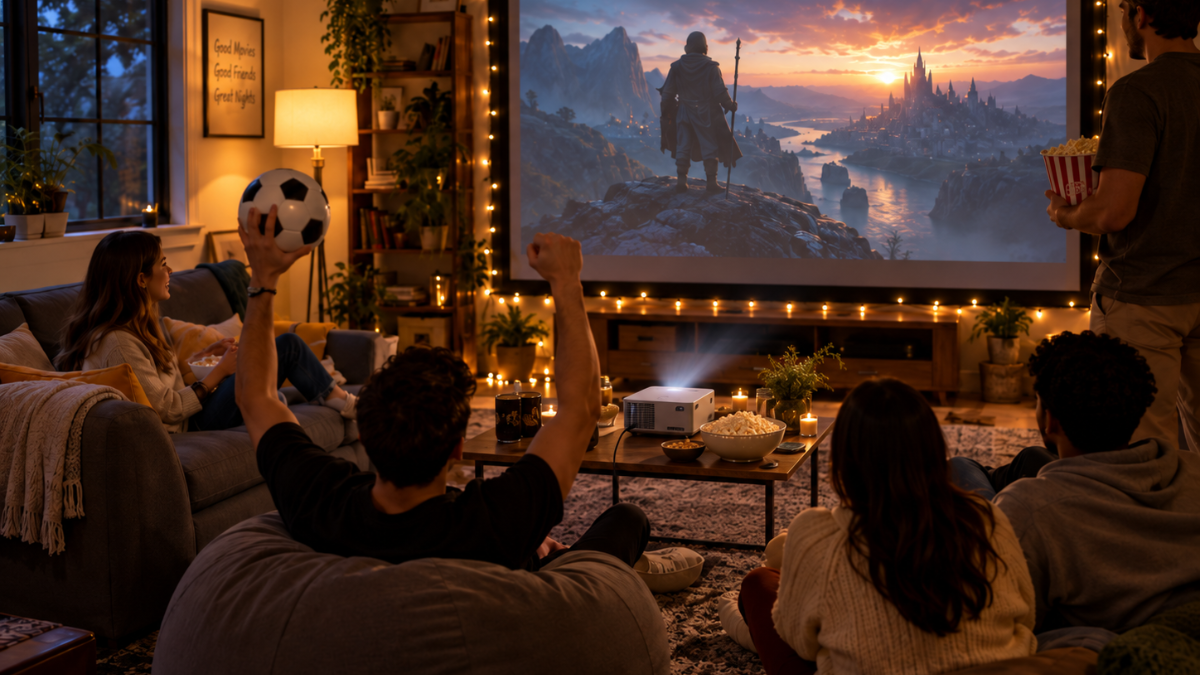
Why a Home Theater Projector Can Upgrade Your Family Movie Nights
A home theater projector can turn your living room, bedroom, or media room into a personal cinema. It gives you a large screen for movies, television shows, sports, and video games without requiring a bulky television.
Modern projectors can deliver sharp images, accurate colors, and smooth motion when paired with the right screen and sound system.
Choosing the right model depends on your room size, lighting, viewing habits, and budget. Brightness, resolution, contrast, connectivity, and installation distance all affect picture quality.
This guide explains these features so you can select a projector that fits your entertainment setup.
What Is a Home Theater Projector?
A home theater projector is a display device that sends an enlarged image onto a wall or projection screen. It connects to streaming devices, gaming consoles, Blu-ray players, computers, and cable boxes.
Many current models support high-definition or 4K content. Some include built-in streaming platforms, speakers, automatic focus, and screen-alignment features. These functions can make installation easier, especially in bedrooms and shared living areas.
Why Choose a Projector for Home Entertainment?
Projectors can produce much larger images than most televisions at a similar price. A screen measuring 100 inches or larger creates a cinema-style viewing experience that works well for films, sports, and multiplayer games.
A projector can also save room. Ceiling-mounted units stay away from furniture, while portable models can be stored after use. Retractable screens provide another practical choice when you do not want a permanent display covering the wall.
Key Features to Check Before Buying
Understanding basic projector specifications can help you avoid weak image quality and installation problems.
Resolution
Resolution determines the level of visible detail. Common options include:
- 720p: Suitable for casual viewing on smaller screens
- 1080p: A practical choice for movies, streaming, and gaming
- 4K UHD: Produces sharper details on large screens
- 8K: Mainly suited to premium installations and specialized content
A native 4K projector displays high-resolution content with excellent clarity. Some lower-priced units use pixel-shifting technology to create a 4K-style image from a lower native resolution.
Brightness
Projector brightness is measured in ANSI lumens or ISO lumens. Higher brightness helps the image remain visible when the room contains ambient light.
A dark, dedicated media room may perform well with around 1,500 to 2,500 ANSI lumens. A living room with windows or overhead lights may require 2,500 to 4,000 ANSI lumens. Curtains, blinds, and controlled lighting can improve contrast during daytime viewing.
Be careful with listings that state only “lumens” without mentioning an accepted measurement standard. Such figures can make direct product comparisons difficult.
Contrast Ratio
Contrast ratio describes the difference between the darkest black and brightest white a projector can display. Strong contrast creates clearer shadow details and gives the image greater depth.
This feature matters when you watch dark movies or play games containing nighttime scenes. Room lighting and screen material can affect the final result, so specification numbers alone may not reflect actual performance.
Throw Distance
Throw distance refers to the space required between the projector and screen. The right type depends on your room layout.
- Standard-throw projectors usually sit several feet from the screen.
- Short-throw projectors create a large image from a shorter distance.
- Ultra-short-throw projectors can sit close to the wall or screen.
Measure the available installation area before buying. Check the manufacturer’s throw-ratio calculator to confirm the expected screen size at your chosen distance.
Light Source
Home projectors commonly use lamps, LEDs, or lasers.
Lamp projectors often have a lower purchase price, though their bulbs require replacement after a set number of operating hours. LED units usually consume less power and work well for portable setups.
Laser models provide high brightness, fast startup, and long operating life, making them suitable for regular use.
Choosing the Right Screen Size
A larger image can feel impressive, yet it must remain comfortable to watch. Sitting too close to a large screen can cause eye fatigue and make individual pixels easier to notice.
Screen sizes from 100 to 120 inches suit many residential rooms. Your ideal size depends on viewing distance, resolution, and room width. Test the projected image on a plain wall before installing a permanent screen.
This simple test helps confirm that the size feels comfortable from your seating position.
Does a Projector Need a Special Screen?
A projector can display an image on a smooth, light-colored wall, though a dedicated screen often produces better brightness, color, and surface consistency.
Matte-white screens work well in rooms with controlled lighting. Gray screens can improve perceived black levels. Ambient-light-rejecting screens help maintain contrast in brighter rooms and are commonly paired with ultra-short-throw projectors.
The screen should match the projector type. Standard ambient-light-rejecting materials may perform poorly with ultra-short-throw units unless specifically designed for their projection angle.
Placement and Installation Tips
Correct placement helps prevent distorted images and blurry edges. Position the projector as close to the screen’s horizontal center as possible. Excessive digital keystone correction can reduce image detail, so physical alignment is usually preferable.
Ceiling mounting creates a clean setup and protects the projector from accidental movement. Shelf placement provides easier access for maintenance and cable changes.
Portable units work well on stable tables, though frequent repositioning may require repeated focus and alignment adjustments.
Allow enough ventilation around the projector. Blocked vents can increase heat, fan noise, and the risk of shutdown during long viewing sessions.
Sound Options for a Home Theater Projector
Built-in projector speakers are convenient for temporary use, yet they may lack the power needed for a cinema-style setup. External audio equipment usually delivers clearer dialogue and stronger bass.
Popular sound choices include:
- Soundbars
- Powered bookshelf speakers
- AV receivers with surround speakers
- Wireless home theater systems
- Bluetooth speakers for casual viewing
For the lowest audio delay, use HDMI ARC, HDMI eARC, or a direct wired connection. Bluetooth can introduce noticeable lag during games or dialogue-heavy scenes.
Connectivity and Streaming Features
Check that your projector supports the devices you plan to use. HDMI ports are needed for most consoles, streaming sticks, media players, and computers. USB ports may support media playback or power a streaming device.
Wi-Fi and built-in apps make streaming convenient, though app availability can differ by model and region. An external streaming stick may provide wider service compatibility and faster software updates.
Gamers should check input lag, refresh rate, and HDMI specifications. A low-latency gaming mode improves responsiveness, while support for 120 Hz can create smoother movement on compatible consoles and computers.
How to Improve Projector Picture Quality
You can improve the image through proper room preparation and basic calibration.
Reduce nearby light sources and prevent lamps from shining directly on the screen. Use blackout curtains during daytime viewing. Select the correct picture mode, then adjust brightness, contrast, color temperature, and sharpness using familiar video content.
Keep the lens clean with a suitable microfiber cloth. Dust and fingerprints can soften the image. Avoid strong cleaning chemicals unless the manufacturer specifically approves them.
Common Mistakes to Avoid
Buying a projector based only on advertised resolution can lead to disappointing results. Brightness, contrast, lens quality, color accuracy, and room conditions carry equal importance.
Other common mistakes include:
- Ignoring throw-distance requirements
- Using an uneven or heavily textured wall
- Placing the projector far from the screen center
- Relying heavily on digital keystone correction
- Forgetting ventilation space
- Choosing weak audio equipment
- Using cables that do not support the required video format
Planning the complete setup before purchasing can prevent extra costs and installation delays.
Creating a Home Cinema That Fits Your Space
The right home theater projector can provide an engaging large-screen experience for films, gaming, sports, and family entertainment. Match the projector’s brightness and throw distance to your room, select a suitable screen, and pair the display with clear external audio.
Careful placement and light control can improve performance without raising your budget. Once every component works together, your home viewing area can deliver sharp images, smooth movement, and comfortable entertainment for years.