
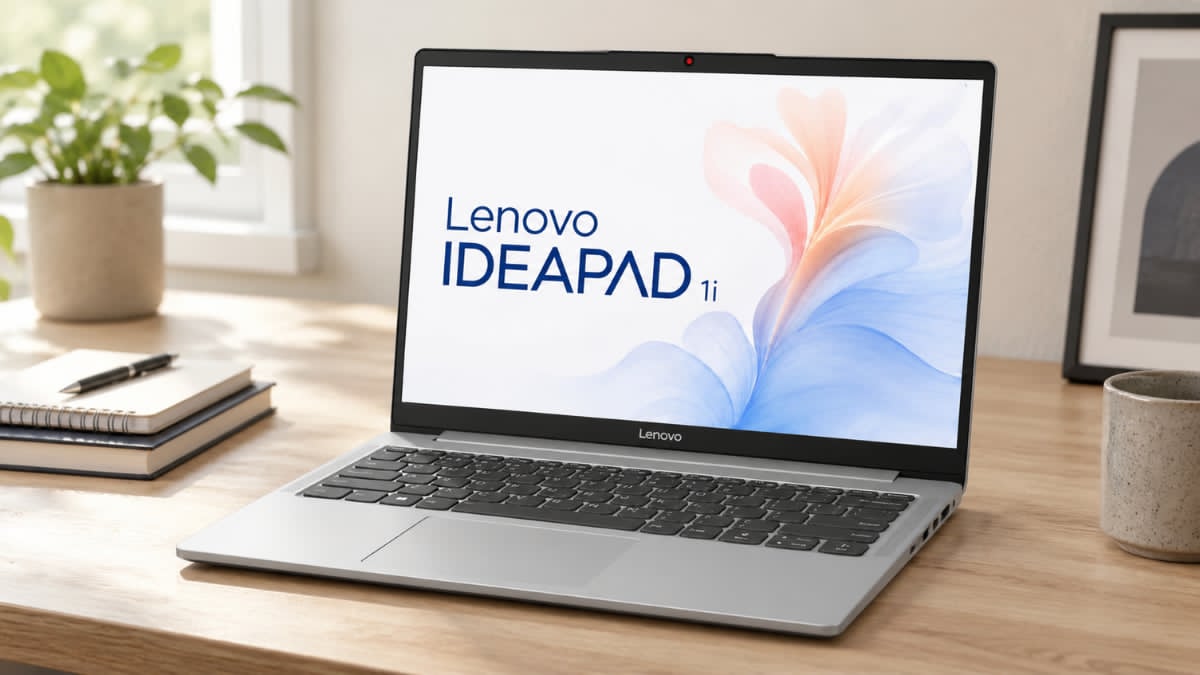
Why the Lenovo IdeaPad 1i Remains a Top Choice for Students and Remote Workers
A good laptop does not have to drain your wallet, and the Lenovo IdeaPad 1i proves that point surprisingly well. In a market filled with expensive premium notebooks, gaming machines, and business-focused systems, this budget-friendly laptop focuses on what most people actually need: dependable performance, solid battery life, and practical features for daily tasks.
If your typical day includes web browsing, video calls, school assignments, streaming, document editing, and light multitasking, the Lenovo IdeaPad 1i checks many important boxes.
It comes in several configurations, allowing you to choose a model that matches your budget and workload. From affordable Intel N-series versions to more capable Intel Core i3, Core i5, and Core i7 models, there is an option for a wide range of users.
This review takes a closer look at its performance, display quality, battery life, connectivity, strengths, and limitations to help you decide if it fits your needs.
Lenovo IdeaPad 1i Features, Pricing, and Configuration Options
One of the biggest strengths of the Lenovo IdeaPad 1i is its broad range of configurations. Lenovo offers entry-level and mid-range versions that appeal to students, home users, and professionals who need a dependable Windows 11 laptop without spending a fortune.
Typical Pricing
Amazon US pricing varies by processor, memory, and storage configuration:
| Configuration | Typical Price Range |
| Intel N100, 4GB RAM, 128GB SSD | $229–$299 |
| Intel Core i3, 8GB RAM, 256GB SSD | $299–$499 |
| Intel Core i5, 16GB RAM, 512GB SSD | Around $549 |
| Intel Core i5, 24GB RAM, 1TB SSD | Around $659 |
| Intel Core i5, 40GB RAM, 2TB SSD | Around $898 |
Recent Amazon listings show a Lenovo IdeaPad 1i with an Intel Core i5-1235U processor, 16GB RAM, and 512GB SSD priced around $549, while a 24GB RAM and 1TB SSD version is listed around $659.
Available Display Sizes
The IdeaPad 1i is available in:
- 14-inch display
- 15.6-inch display
- 17.3-inch display
Depending on the model, you can choose between:
- HD (1366 x 768)
- Full HD (1920 x 1080)
Most users will benefit from the Full HD version, which delivers noticeably sharper text and a better viewing experience for work and entertainment.
Performance for Everyday Productivity
The Lenovo IdeaPad 1i covers a wide performance range thanks to its diverse processor lineup.
Processor Options
Available CPUs include:
- Intel Celeron N4020
- Intel Celeron N4500
- Intel N100
- Intel N200
- Intel Core i3-1215U
- Intel Core i3-1315U
- Intel Core i5-1235U
- Intel Core i5-1335U
- Intel Core i7-1255U
- Intel Core i7-1355U
For most users, the Intel Core i3 laptop configurations deliver the best balance between cost and performance. During typical productivity tasks such as running Microsoft Office, managing browser tabs, attending Zoom meetings, and streaming video, Core i3 and Core i5 models feel responsive and smooth.
Graphics Performance
Graphics capabilities depend on the processor:
- Intel UHD Graphics on entry-level models
- Intel Iris Xe Graphics on higher-end versions
In practical use, integrated graphics handle:
- YouTube and Netflix streaming
- Office applications
- Web-based productivity tools
- Light photo editing
However, modern AAA games, advanced video editing, and 3D rendering workloads can push the hardware beyond its comfort zone.
Memory and Storage Options
Storage speed plays a major role in the user experience, and Lenovo wisely includes SSDs across the lineup.
RAM Options
- 4GB DDR4
- 8GB DDR4
- 12GB DDR4
- 16GB DDR4
For smooth multitasking, 8GB should be considered the minimum, while 16GB offers a much better long-term experience.
Storage Options
As an SSD storage laptop, the IdeaPad 1i offers:
- 128GB SSD
- 256GB SSD
- 512GB SSD
- 1TB SSD
During testing and everyday use, SSD-equipped systems boot quickly, launch applications faster, and feel noticeably more responsive than older hard-drive-based laptops.
Display Quality and Viewing Experience
Display quality varies significantly between configurations.
What Works Well
Many Full HD models feature:
- Anti-glare coating
- Narrow bezels
- 60Hz refresh rate
- Up to 300 nits brightness
For office work, online classes, and streaming, the Full HD displays provide a comfortable viewing experience.
Areas That Could Be Better
Some entry-level versions offer:
- Lower 220-nit brightness
- HD resolution
These screens can feel limiting when working outdoors or in bright rooms.
If display quality matters to you, it is worth spending a little more for a Full HD model.
Connectivity and Wireless Features
The Lenovo IdeaPad 1i includes a practical selection of ports that many users still rely on daily.
Ports
- USB-C 3.2 Gen 1
- USB-A 3.2 Gen 1
- USB-A 2.0
- HDMI 1.4b
- SD card reader
- Audio combo jack
Wireless Connectivity
Depending on the model, you may find:
- Wi-Fi 5
- Wi-Fi 6
- Bluetooth 5.0
- Bluetooth 5.1
- Bluetooth 5.2
In day-to-day use, Wi-Fi connectivity remains stable for remote work, video conferencing, and streaming.
Webcam, Audio, and Video Conferencing
Remote work and online learning have made webcam quality more important than ever.
The IdeaPad 1i includes:
- 720p HD webcam
- Physical privacy shutter
- Dual-array microphones
- Dolby Audio stereo speakers
The webcam produces acceptable image quality for meetings and virtual classes. The privacy shutter is a feature many users appreciate because it offers instant camera protection without needing software controls.
Audio quality is clear enough for meetings and casual media consumption, although music enthusiasts may prefer external speakers or headphones.
Battery Life and Portability
Battery performance depends on the specific configuration and workload.
Battery Specifications
- 42Wh battery
- 47Wh battery
Typical battery life ranges from:
- 7 hours under heavier workloads
- Up to 12 hours during lighter productivity tasks
Many models also support rapid charging.
Weight
| Model Size | Approximate Weight |
| 14-inch | 3.08 lbs (1.4 kg) |
| 15.6-inch | 3.5 lbs (1.58 kg) |
Security Features
The Lenovo IdeaPad 1i includes useful security tools that are often overlooked in this price range.
Hardware Security
- TPM 2.0 security chip
- Camera privacy shutter
Software Security
- Password protection
- Windows Hello support on select models
These features help protect sensitive files and personal information.
Pros and Cons
Pros
- Competitive pricing
- Fast SSD performance
- Good battery life
- Lightweight design
- Multiple configuration options
- Comfortable keyboard
- Strong value for students and remote workers
- Modern Intel processor choices
Cons
- Display brightness can be limited on some models
- Plastic chassis feels less premium
- Basic integrated graphics
- Speaker quality is average
- RAM upgrade flexibility varies by configuration
Who Should Buy the Lenovo IdeaPad 1i?
This student laptop works particularly well for:
- Students managing coursework and research
- Remote workers handling productivity tasks
- Small business users
- Families needing a shared household computer
- Anyone seeking a reliable budget laptop
It performs best when used for:
- Web browsing
- Document creation
- Video conferencing
- Streaming media
- Online learning
- Everyday productivity
Power users working with advanced creative software or high-end gaming titles may benefit from more powerful alternatives.
Final Verdict
The Lenovo IdeaPad 1i continues to stand out as one of the better values in the budget laptop market. It offers dependable everyday performance, responsive SSD storage, respectable battery life, and useful security features at a price that remains accessible for many buyers.
The Core i3 and Core i5 versions deliver the strongest balance of performance and value, making them ideal for students, remote workers, and general home users. While the display brightness and integrated graphics have limitations, those compromises are understandable at this price point.
If you are searching for an affordable laptop that handles daily tasks without unnecessary extras, the Lenovo IdeaPad 1i deserves a closer look. Check current pricing and configurations on Amazon, then compare it with other budget-friendly laptops to find the option that best matches your needs and budget.