
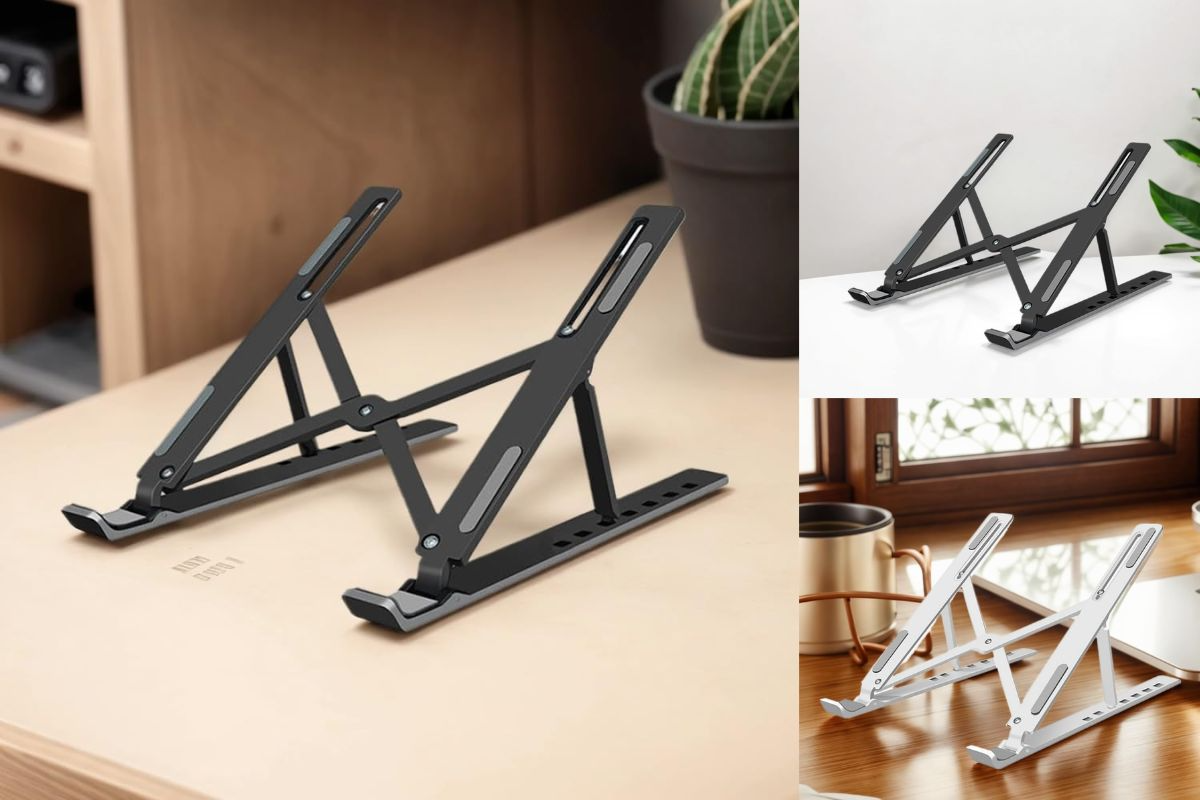
Portable Laptop & Tablet Stand: The Ultimate Ergonomic Upgrade
Looking down at your laptop or tablet for hours can cause serious strain on your neck, shoulders, and back. That’s why investing in a portable electronic device stand is one of the smartest moves for comfort and productivity. Compact, lightweight, and highly adjustable, this foldable stand helps you create an ergonomic setup anywhere—whether you’re working from home, traveling, or studying on the go. In this guide, we’ll explore how the Portable Electronic Device Stand can transform your daily tech use with better posture, airflow, and convenience.
Key Features That Make This Stand Essential
The stand offers multiple positions to establish your ideal ergonomic setup. Whether you need a slight tilt for typing or a steeper angle for viewing content, you can adjust it with precision to match your specific needs.
Premium ABS Construction
Built from high-quality ABS material, this stand delivers the perfect balance of durability and lightweight design. The sturdy construction withstands daily use while remaining portable enough for constant travel.
Non-Slip Surface Design
Strategic silicone pads keep your device securely in place, preventing unwanted sliding even during intensive typing sessions. This thoughtful design element ensures stability without damaging your device.
Ultra-Portable Form Factor
When folded, the stand collapses to just 0.5 inches thick—thinner than most notebooks. This remarkable thinness makes it practically unnoticeable in your bag while providing substantial ergonomic benefits when deployed.
Heat Dissipation Technology
The open architectural design creates pathways for air to circulate freely around your device. This natural cooling effect helps maintain optimal operating temperatures, potentially extending your device’s lifespan and performance.
Universal Device Compatibility
Accommodating devices between 10-17 inches, this stand works with virtually any laptop, ultrabook, or tablet on the market, making it a future-proof investment as you upgrade your technology.
Versatility Across Work Environments
Home Office Enhancement
Create a proper ergonomic workstation without investing in expensive furniture. The stand instantly transforms any desk or table into an ergonomically correct setup, supporting better posture during long work hours.
Coffee Shop Productivity
Turn any café table into a proper workstation. The stand’s minimal footprint means you can establish an ergonomic setup even in crowded spaces without encroaching on others.
Business Travel Companion
Maintain proper ergonomics in hotel rooms, airport lounges, or co-working spaces. The stand’s portability means you never have to compromise on posture, regardless of your workspace.
Virtual Meeting Positioning
Achieve professional camera angles for video conferences by raising your laptop to eye level. This eliminates unflattering low-angle views and creates a more engaging presence in virtual meetings.
Reading and Entertainment
When using tablets or e-readers, the stand provides hands-free support at the perfect angle for comfortable viewing. This is particularly valuable when following instructional videos or enjoying streaming content.
Cooking Assistant
Keep recipe instructions at eye level in the kitchen, protecting your devices from spills while maintaining clear visibility of instructions as you cook.
Who Benefits Most From This Stand?
Remote Workers
For those working from home or alternate locations, the stand creates an ergonomic setup anywhere. Its adjustability accommodates different seating arrangements, making any space work-friendly.
Students
Taking notes during lengthy lectures or study sessions becomes significantly more comfortable. The improved ergonomics allow students to focus on content rather than physical discomfort.
Frequent Travelers
Business travelers who work from multiple locations can maintain consistent ergonomics regardless of workspace variations. The negligible weight addition makes it an easy addition to travel gear.
Digital Nomads
For those whose office changes regularly, the stand provides ergonomic consistency despite varying work environments. Its minimal weight impact on luggage makes it essential for location-independent professionals.
Content Creators
Designers, video editors, and other creative professionals benefit from optimal viewing angles for precision work. The stand’s stability supports drawing tablets and other specialized equipment.
Anyone with Limited Desk Space
The vertical orientation maximizes workspace efficiency in small areas, allowing for better organization and workflow in constrained environments.
Why Proper Device Positioning Matters
Neck Strain Reduction
By elevating your screen to eye level, the stand prevents “tech neck”—the forward head posture that puts significant strain on neck muscles and vertebrae during extended screen time.
Improved Posture
The stand encourages sitting upright rather than hunching over screens. This proper alignment reduces strain across the entire back and shoulders during work sessions.
Enhanced Productivity
Comfortable positioning allows for longer, more focused work sessions without the distraction of physical discomfort. This directly translates to improved concentration and output.
Reduced Eye Fatigue
Proper screen positioning minimizes glare and maintains an optimal viewing distance, reducing the eye strain associated with digital device use.
Better Typing Ergonomics
When paired with an external keyboard, the stand creates ideal wrist positioning by separating the input and display functions of your laptop, mirroring the ergonomic benefits of desktop setups.
Professional Appearance
Elevated screen height provides more flattering camera angles for video calls, presenting a more professional image during virtual meetings and webinars.
Smart Design Elements That Make a Difference
One-Handed Adjustment
The intuitive design allows for quick position changes without disrupting your workflow. Simple adjustments can be made mid-task without requiring complex reconfiguration.
Rubber Protection Points
Strategically placed rubber elements prevent scratches on both your device and work surface. This protective design maintains the aesthetic condition of your equipment.
Ventilated Structure
The stand features strategic openings that maximize airflow around heat-generating components, helping maintain optimal device temperature during resource-intensive tasks.
Cable Management Integration
Thoughtfully designed accommodation for charging cables keeps your workspace organized and prevents cord tangles, particularly valuable in temporary workspaces.
Stable Base Design
The engineering behind the stand prevents wobbling even during intensive typing sessions. This stability ensures your workflow remains uninterrupted regardless of input intensity.
Minimal Footprint
Taking up less desk space than traditional laptop stands, this design maximizes available work area—particularly valuable in shared or limited spaces like coffee shops or co-working environments.
Transform Your Device Experience Today
The Portable Electronic Device Stand isn’t just an accessory—it’s an essential tool for healthier, more productive work and study sessions. With its ergonomic design, universal compatibility, and ultra-portable build, it helps you stay comfortable while protecting your devices. Whether you’re a remote worker, student, traveler, or casual user, this stand is a simple upgrade that delivers long-term benefits. Don’t wait until discomfort slows you down—elevate your setup today and experience the difference of smarter, ergonomic device positioning.